
Features
Everything Pelp is
being built to do
From the first note of a shift to the reviews and decisions that follow, these are the capabilities we are building across Pelp Staff, Pelp Manager and Pelp Family.
Pelp is currently in development. Each group shows where it sits on our roadmap.
- Core product
Part of the main platform we are building now.
- Phased development
Introduced in stages, with testing and validation before wider use.
- Platform foundation
The security, permissions and administration everything else relies on.
- Future development
On our roadmap, subject to technical work and appropriate agreements.
Staff care recording
Pelp Staff
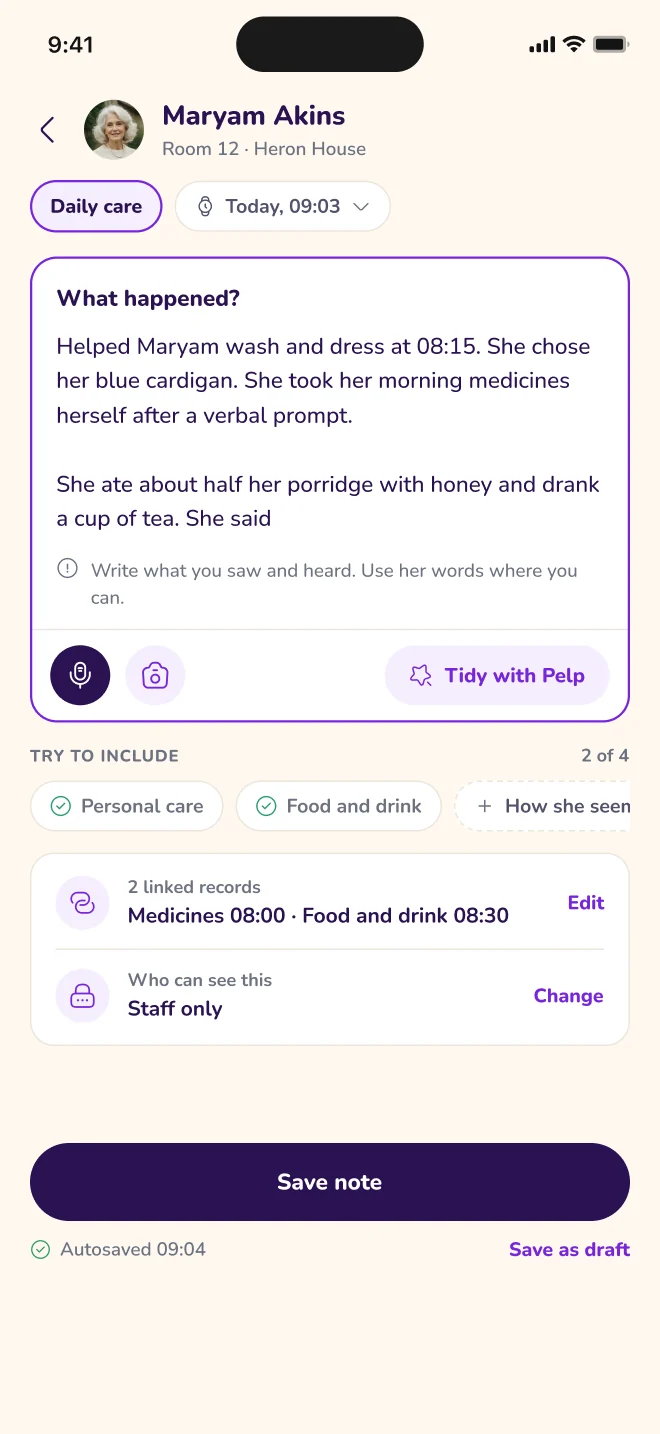
Record everyday support, observations and activities during a shift, using structured templates, your own words, photographs or voice. Optional writing assistance helps tidy a note, and staff review it before anything is saved.
What it covers
- Daily care records
- Structured care note templates
- Free-text observations
- Photographs and attachments
- Voice notes
- AI writing assistance
- Draft records
- Care record corrections
- Record timeline
- Care note reminders
- Offline drafts and synchronisation
Individual profiles
Pelp Staff · Pelp Manager
Each Individual has a profile that starts with who they are, not just what support they need. Staff can understand preferences, routines, communication needs and important relationships before they begin supporting someone.
What it covers
- Personal identity and preferred name
- About Me biography
- Preferences and routines
- The Individual’s choices
- Communication needs
- Important relationships
- Authorised contacts
- Individual history
- Individual timelines
- Relevant evidence and review history

Care planning
Pelp Manager · Pelp Staff
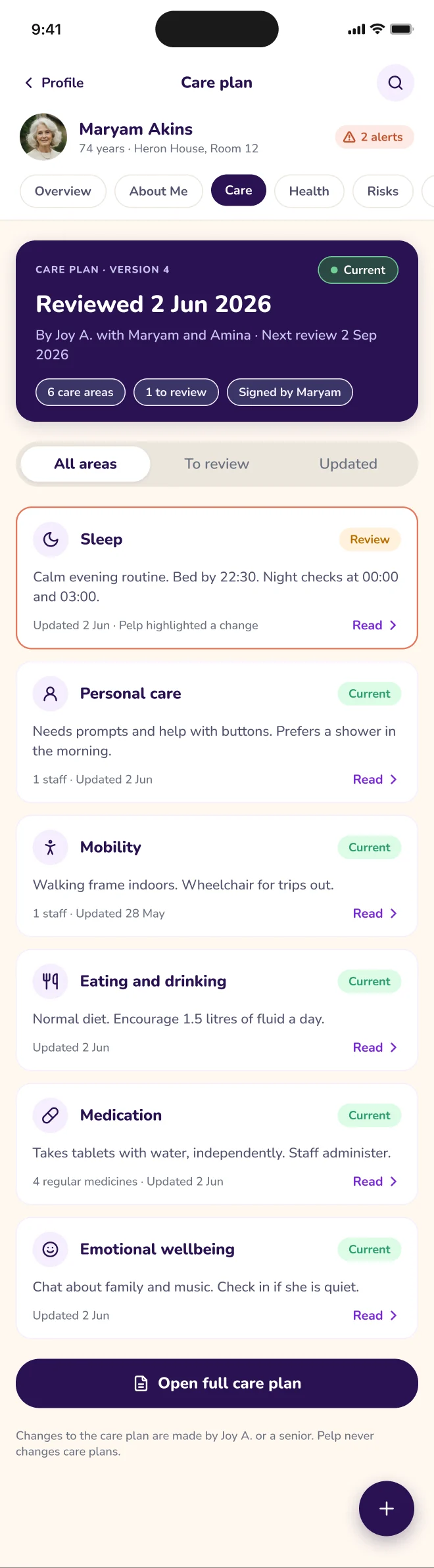
Bring assessments, risks, support needs, preferences and outcomes together into care plans that reflect the Individual. Plans keep their version history and review dates, so they can change as circumstances do.
What it covers
- Care plan creation and editing
- Care plan versions
- Care plan review schedules
- Risks and mitigation
- Personal care support
- Nutrition and hydration
- Mobility
- Emotional wellbeing
- Community participation
- Independence
- Personal goals
- Care attachments
Assessments
Pelp Manager · Pelp Staff
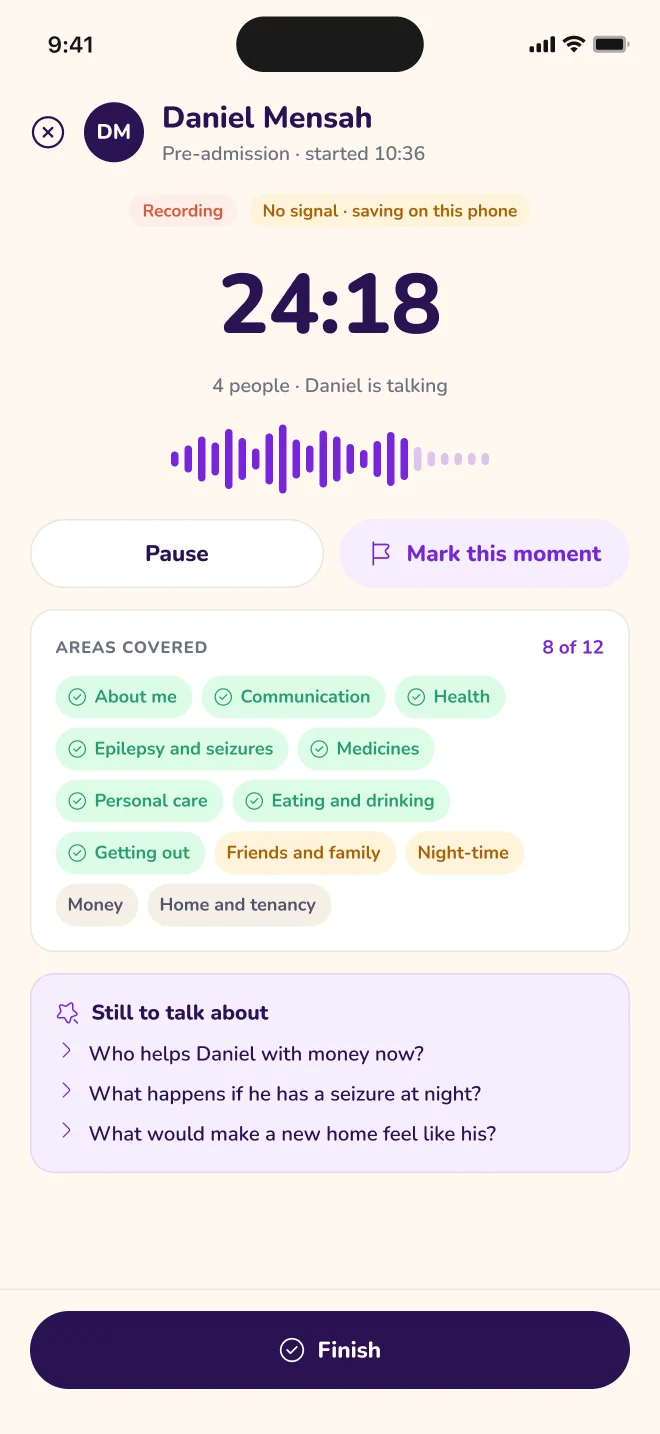
Complete assessments manually from a template, or record an authorised assessment conversation and turn it into a structured draft. The professional checks, corrects and approves the result before it is used.
What it covers
- Assessment library
- Assessment templates
- Manual assessments
- Voice assessment workflow
- Pre-admission assessments
- Risk assessment management
- Assessment review and approval
Incidents and safeguarding
Pelp Staff · Pelp Manager
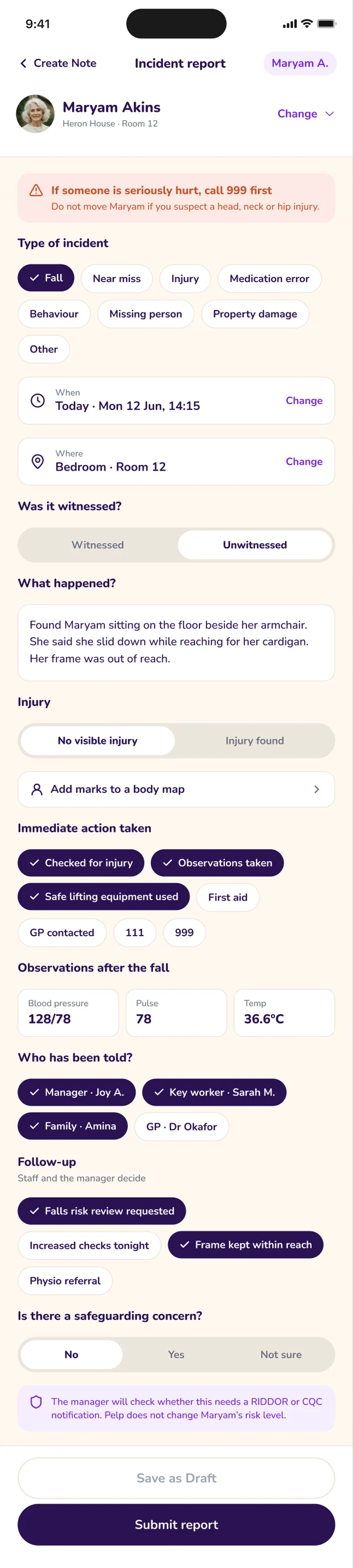
Capture what happened and the immediate actions taken, then follow the incident through triage, investigation and closure. Safeguarding concerns are raised and followed up, and lessons learned can inform future support.
What it covers
- Incident reporting
- Safeguarding concerns
- Incident triage
- Incident investigation
- Safeguarding follow-up
- Action plans
- Incident closure
- Lessons learned
- Incident reports
Behaviour and outcomes
Pelp Staff · Pelp Manager
Record behaviour observations alongside the strategies agreed in Positive Behaviour Support plans, and follow progress towards the goals that matter to the Individual.
What it covers
- Behaviour records
- Positive Behaviour Support plans
- Behaviour strategies
- Behaviour reports
- Goals and outcomes
- Outcome tracking
Health and medication information
Pelp Staff · Pelp Manager
Keep an Individual’s health background, allergies and medication support information in one place, so staff know what to look out for and managers can keep an overview.
What it covers
- Health overview
- Health background
- Allergies
- Medication support information
- Health and medication oversight
- Health action plans
- Hospital passports
- Medication summaries
- Appointments
Tasks and handover
Pelp Staff · Pelp Manager
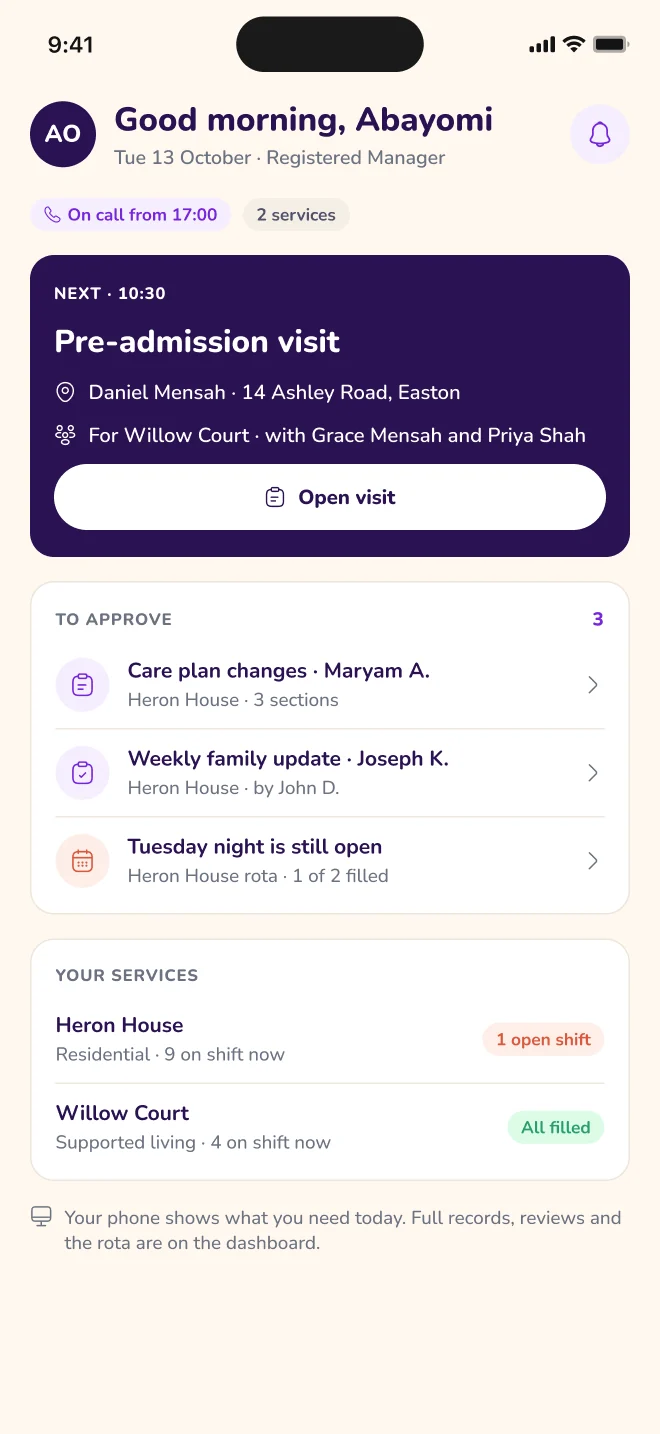
See the day’s tasks, visits and appointments, and pass on what the next shift needs to know. Managers can assign tasks and review handovers across the service.
What it covers
- Tasks and appointments
- Visits
- Task assignment
- Handover
- Handover review
- Handover summaries
- Notifications
Documents and reporting
Pelp Manager · Pelp Staff
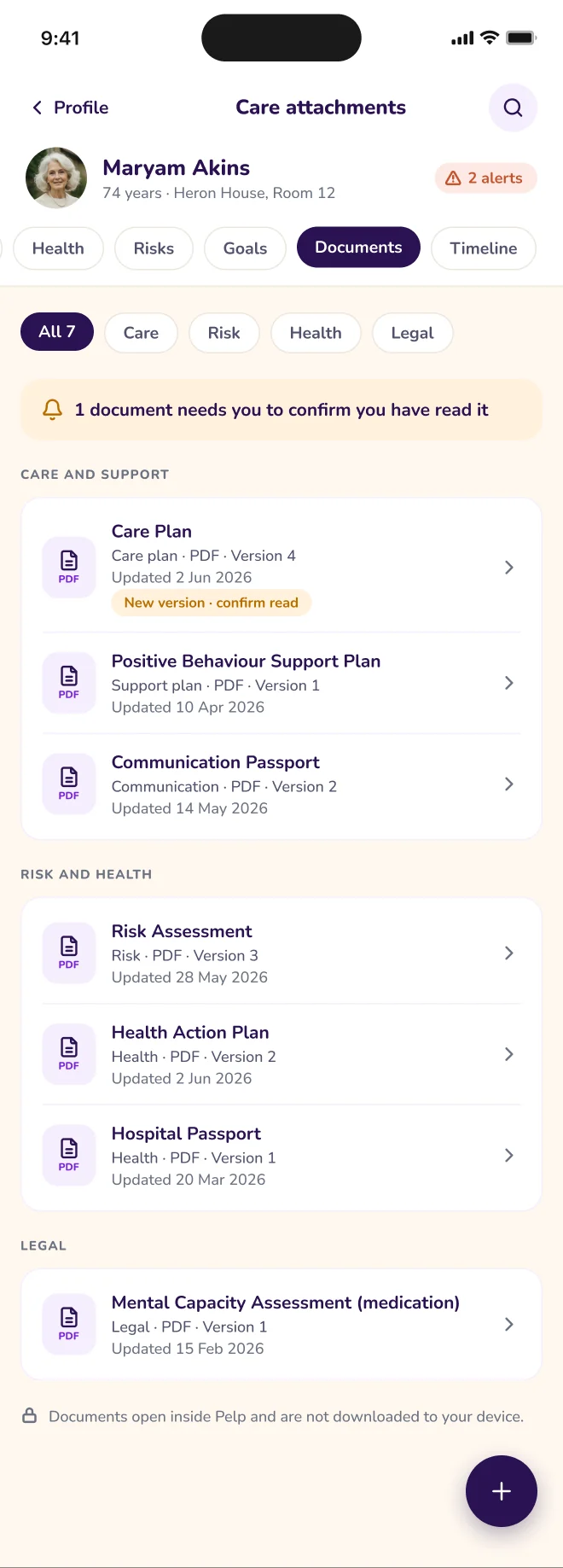
Bring relevant care information together into professional drafts, review them collaboratively and produce approved documents, with a clear record of who wrote, changed and approved them.
What it covers
- Document templates
- Communication passports
- Draft collaboration
- Comments
- Approval workflows
- Version history
- Final PDF generation
- In-app PDF viewing
- Document acknowledgement
- Report library
- Care quality reports
- Audit reports
- Individual timeline exports
Management oversight
Pelp Manager
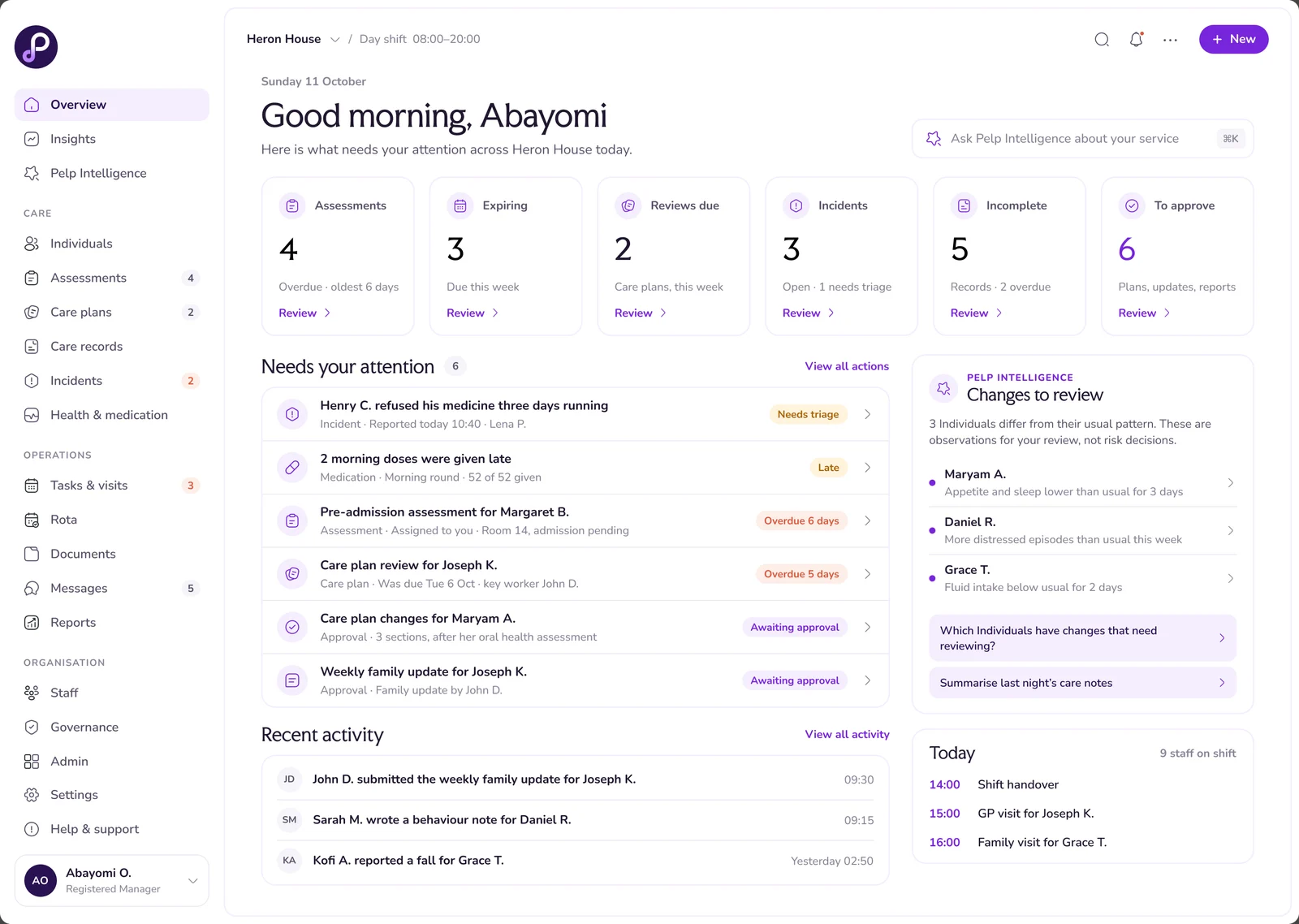
A working view of your service for managers and authorised senior staff. See what needs your attention, from overdue reviews and incomplete records to incidents awaiting follow-up, and go straight to the source.
What it covers
- Operational dashboard
- Needs Your Attention
- Individuals directory
- Care documentation oversight
- Missing and incomplete record checks
- Staff directory
- Staff assignments
- Analytics
- CQC and Ofsted evidence preparation
Pelp Intelligence and AI
Pelp Staff · Pelp Manager
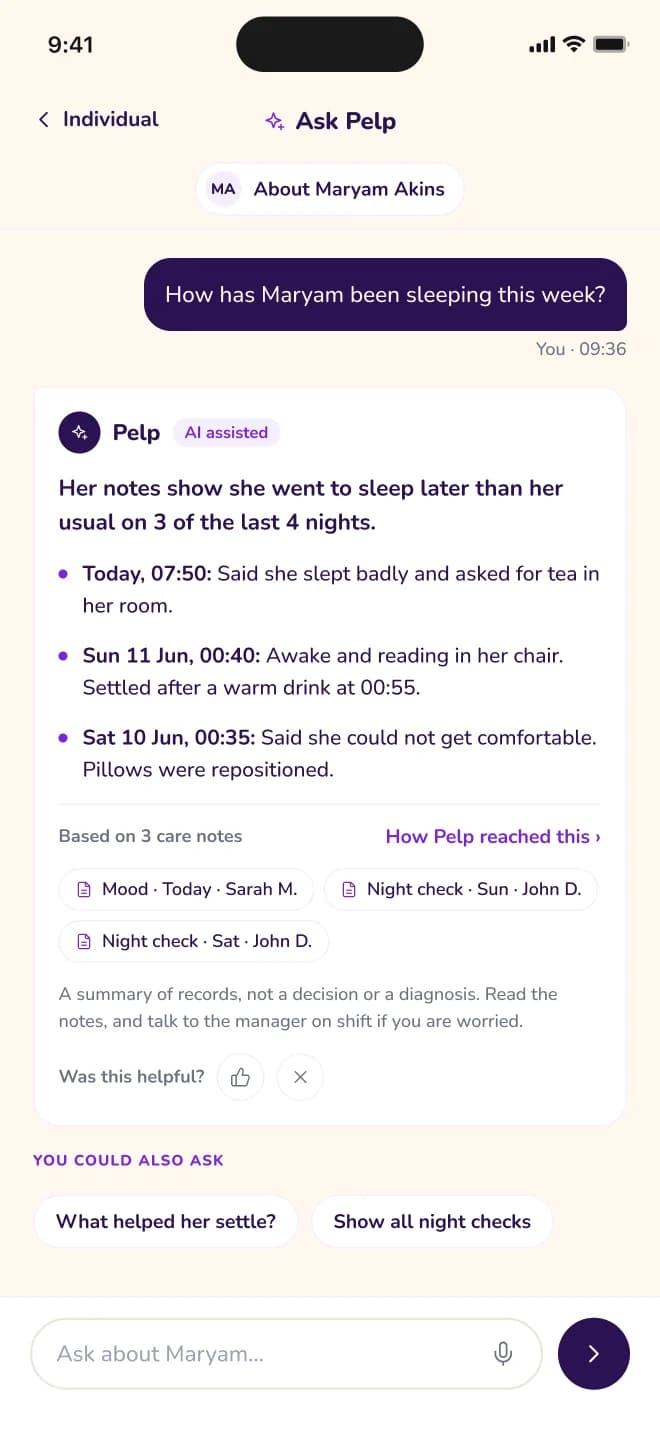
Ask questions about authorised care information and get answers that link back to the records behind them. AI assistance helps with transcription, drafting and summaries, and every output is reviewed by a professional before it is used.
Individual baseline analysis and meaningful-change detection will be tested and validated before they are offered as established features. Outcome prediction is a separate area of future research.
What it covers
- Ask Pelp for staff
- Ask Pelp for managers
- Source-linked answers
- Voice transcription
- Structured assessment extraction
- Care note clarity assistance
- Handover drafts
- Care plan drafts
- Document summaries
- Incident chronology drafting
- Documentation gap detection
- Manager watchlists
- Individual baselines
- Change detection
- Insight review and acknowledgement
- Professional feedback
- Model output auditing
Trusted communications
Pelp Staff · Pelp Manager · Pelp Family
Secure messaging between staff, managers and authorised contacts, with sharing controlled by consent and permissions. Internal records and professional discussions stay internal unless they are approved for sharing.
What it covers
- Secure messaging
- Trusted Connections
- Consent records
- Controlled sharing
- Important notices
- Notifications
- Notification configuration
Pelp Family
Pelp Family
A mobile app being designed for authorised family members, advocates and representatives. They receive approved updates and communicate securely with the care service, always within the Individual’s wishes, rights and agreed access permissions.
What it covers
- Invitation-based access
- Relationship verification
- Consent and permissions
- Approved updates
- Individual updates timeline
- Authorised photographs and attachments
- Secure messaging
- Visit requests where enabled
- Approved care documents
- Notification preferences
- Access suspension and revocation
Governance and permissions
Pelp Manager
The controls that decide who can see and do what. Access is set by role, service and Individual, and records keep a history of who wrote, changed, approved or viewed sensitive information.
What it covers
- Multi-organisation structure
- Services and locations
- Staff authentication
- Role-based permissions
- Individual-level access
- Activity auditing
- Record authorship
- Approval history
- Document versioning
- Sensitive access history
- Download history and access auditing
- Data retention controls
- Secure document storage
Integrations and data migration
Pelp Manager
Options for bringing existing information into Pelp and connecting with the tools services already use. Specific integrations will depend on technical availability and appropriate agreements.
What it covers
- CSV data import
- Existing care document import
- Integrations directory
- Connection management
- Sync history and connection health
- Microsoft 365 connectivity
- Google Workspace connectivity
- Calendar integrations
- Rota system interoperability
- Electronic signature services
- Care system interoperability
Help shape what comes next
Join the early access list for development updates, product previews and opportunities to take part in feedback and future pilot discussions.